
Reclaim
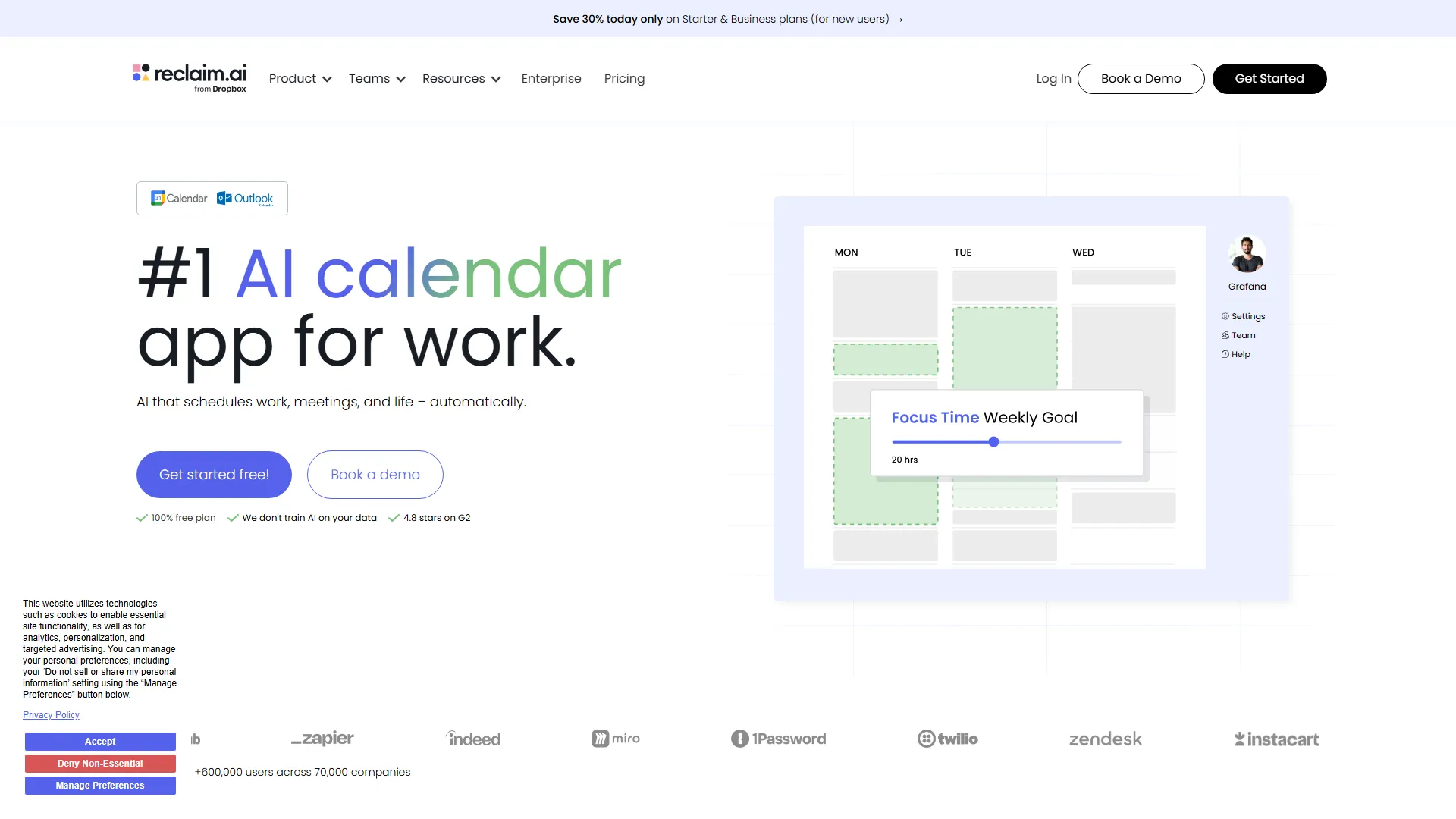
Reclaim is an AI-powered calendar management tool that automatically schedules tasks, habits, and meetings to optimize work-life balance for busy professionals.
How it works and main features
Explore the main features, functionalities and how this AI tool can help you.
Reclaim serves as an intelligent layer on top of Google Calendar, designed to manage the friction between task lists and fixed meeting times. By connecting to project management platforms or utilizing its native task engine, it evaluates your calendar's gaps and automatically reserves slots for deep work or administrative tasks, ensuring that high-priority items do not get sidelined by last-minute meeting requests. It is best suited for project managers, engineers, and individual contributors who struggle with "calendar tetris" and have high volumes of collaborative meetings. Teams benefit from its ability to sync availability across multiple accounts and provide insights into where time is actually being spent, which is particularly effective for those working in fast-paced corporate environments or distributed teams. However, users who rely on non-Google calendar ecosystems or those who require extremely rigid, manual control over every minute of their day may find the automated rescheduling logic intrusive. If your workflow relies heavily on Outlook or Apple Calendar, or if your tasks are primarily simple to-do items that do not require time-blocked duration management, the tool may add unnecessary complexity. Ultimately, Reclaim is the right choice for professionals who are comfortable surrendering some manual scheduling control in exchange for a system that proactively protects their deep work time. It excels in environments where meeting fatigue is a primary productivity blocker and where transparent team availability is critical for internal scheduling efficiency.
- Automatic habit and task scheduling
- Smart meeting conflict resolution
- Cross-calendar availability syncing
- Buffer time management between meetings
- Team availability and meeting load reporting
- Flexible "Not before/after" time window constraints
- Task priority scoring for automatic rescheduling
- Integration with Jira, Linear, Asana, and Todoist
Advantages and disadvantages of the tool
See the main strengths and limitations to decide if this tool is ideal for you.
Pros
- Significantly reduces time spent manually shuffling calendar events.
- Provides visibility into team-wide time allocation and meeting load.
- Effectively protects deep work blocks from meeting encroachment.
- Deep synchronization with popular project management tools.
- Automates the scheduling of recurring personal habits like exercise or breaks.
Cons
- Limited native support for non-Google calendar ecosystems.
- Rescheduling logic can sometimes feel disruptive if constraints are set loosely.
- Requires a high level of calendar discipline to be effective.
- Significant learning curve for power users configuring complex task priorities.
- Dependency on the AI engine can make manual adjustments feel like fighting the software.
Feedback and user experiences
See the reviews, ratings and opinions of users to understand the real experience with this tool.
Alex P.
Reclaim has fundamentally changed how I manage my week. It protects my focus time like nothing else.
G2
Sarah J.
Great for syncing my personal and work calendars. I no longer double book myself.
G2
Marcus L.
The task integration is very helpful, though it takes a little time to set up correctly.
Capterra
Elena V.
Very useful for blocking out time for lunch and recurring admin tasks automatically.
Product Hunt
David K.
Solid app, reduces meeting fatigue by automatically scheduling breaks.
G2

G2
4.8
Capterra
4.7
Product Hunt
4.9
Real applications of the tool
Ideas and examples to make the most of the tool's features.
Protecting Deep Work
Automatically blocking recurring 2-hour segments for focused coding or writing that shift if a high-priority meeting is added.
Syncing Work-Life Balance
Preventing work meetings from bleeding into personal time by syncing private and work Google calendars automatically.
Task-based Scheduling
Pulling open tasks from Jira or Asana and automatically finding open calendar slots for them based on deadlines.
Smart Meeting Buffers
Automatically adding buffer time to the end of meetings to allow for travel, bio breaks, or meeting preparation.
Team Availability Management
Using Reclaim's team features to quickly identify shared availability for group meetings without manual email coordination.
Other similar tools
Compare with similar tools and choose the one that best meets your goal.
- Freemium
Reclaim
4.80Reclaim is an AI-powered calendar management tool that automatically schedules tasks, habits, and meetings to optimize work-life balance for busy professionals.
- Life Assistants
- Productivity
 Freemium
Superhuman
4.50Superhuman is a high-performance, keyboard-centric email client designed for professionals and teams who require extreme speed and efficiency in their inbox management.
- Productivity
 Freemium
Notion
4.42Notion is an all-in-one workspace that combines notes, databases, and project management tools, ideal for teams and individuals seeking a customizable information hub.
- Files & Spreadsheets
- Productivity
- Education & Studies
 Freemium
ClickUp
4.25ClickUp is an all-in-one project management platform designed for teams to centralize tasks, documentation, and collaboration within a single workspace.
- AI Chat & Assistant
- Productivity
- Files & Spreadsheets
- Automation
- Text Generators
Tutorials and videos of the tool
Learn how to use the tool with visual content and practical examples.

Best Motion Alternative | Smarter Scheduling with Reclaim.ai

Getting Started with Reclaim.ai Smart Calendar | Reclaim.ai
Google Calendar Add-On for Time Blocking | Reclaim.ai

App Walkthrough + Feature Tutorials | Reclaim.ai 101 Webinar
How to Sync Asana Tasks to Google Calendar | Reclaim.ai
Frequently Asked Questions
Everything you need to know about finding and using AI tools
Yes, Reclaim offers a free plan with basic scheduling and habit features for individual users.
No, Reclaim currently only supports Google Calendar integration.
Reclaim automatically reschedules lower-priority tasks or habits to accommodate incoming high-priority meeting invites.
Yes, many users use Reclaim to schedule habits, exercise, and personal development time alongside work tasks.
Yes, Reclaim integrates directly with Asana, Jira, Linear, and Todoist to pull tasks into your calendar.
Reclaim is SOC 2 Type II compliant and maintains strict data privacy standards for calendar access.
Yes, you can lock events on your calendar so Reclaim will not move or delete them during the auto-scheduling process.
Reclaim does not offer a public-facing API for custom user integrations at this time.
You can configure your working hours and task scheduling constraints within the Reclaim settings dashboard.
Yes, you can simply disconnect your old tool and authorize Reclaim's Google Calendar access to start syncing immediately.
Latest AI Tools Articles
Everything you need to know about finding and using AI tools