
ClickUp
ClickUp is an all-in-one project management platform designed for teams to centralize tasks, documentation, and collaboration within a single workspace.
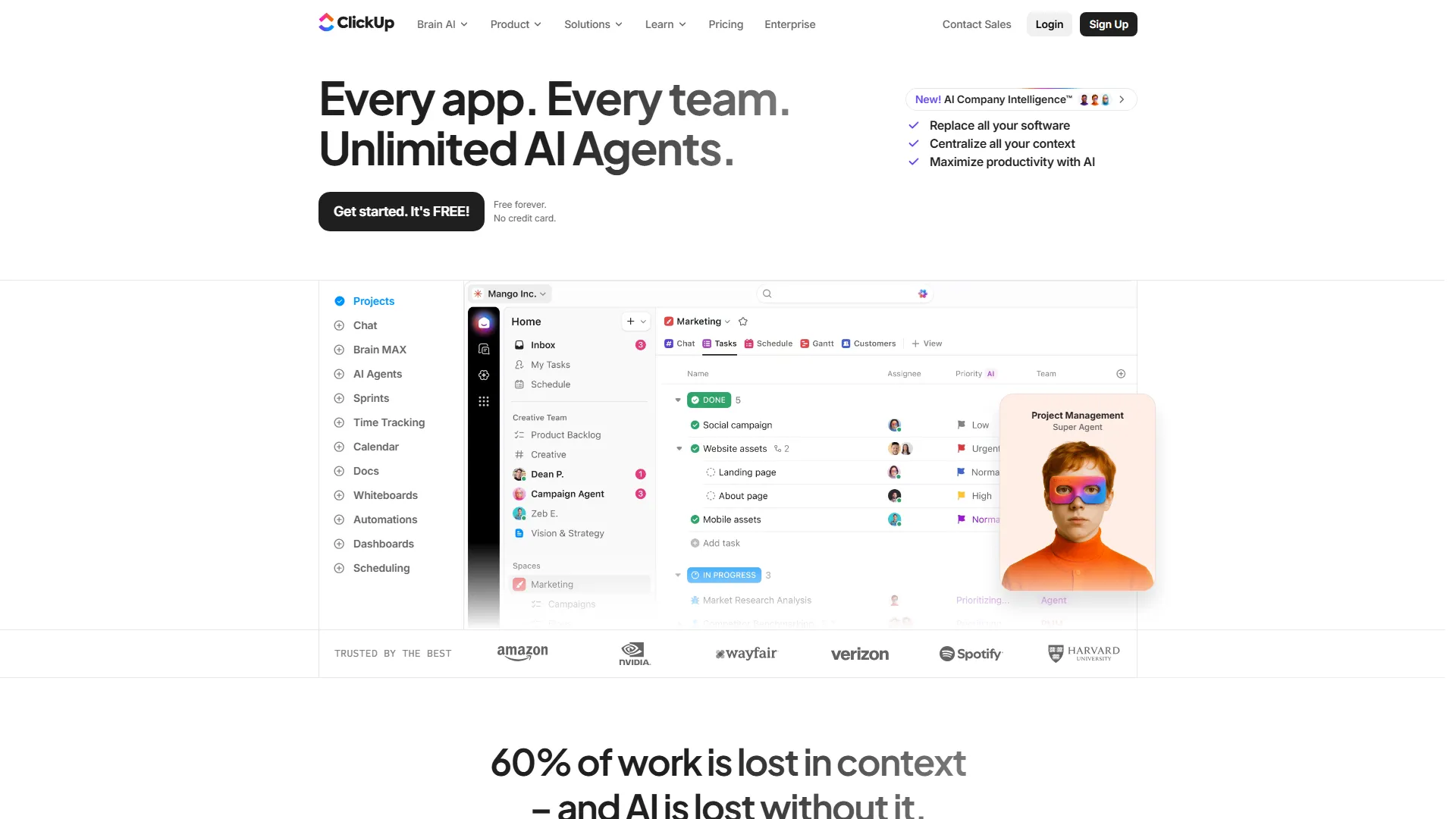
How it works and main features
Explore the main features, functionalities and how this AI tool can help you.
ClickUp functions as a centralized work hub, allowing teams to consolidate multiple software tools into a single platform. Its core architecture is built around a hierarchy of Workspaces, Spaces, Folders, and Lists, enabling users to customize project structures according to their specific departmental or operational needs. It is best suited for medium-to-large teams and project managers who require highly configurable workflows and a high degree of transparency across complex projects. The platform excels in environments where cross-functional teams need to coordinate tasks, share documentation, and manage resources without switching between disparate applications. Despite its depth, ClickUp faces significant challenges with its steep learning curve, as the sheer number of settings and customization options can overwhelm smaller teams or users looking for "out-of-the-box" simplicity. Furthermore, the platform's performance can occasionally suffer when loading massive databases, and users often report that the feature-heavy interface can feel cluttered during initial onboarding. Ultimately, teams should choose ClickUp if they are prepared to invest time in setting up a tailored system and have a genuine need for an all-in-one suite. It is the correct choice for organizations that want to reduce their "tech stack" by replacing separate tools for wikis, whiteboarding, and task management, provided they have the operational capacity to manage its complexity.
- Custom Task Statuses for workflow-specific progress tracking.
- Multiple View types including Gantt, Board, List, Calendar, and Mind Map.
- ClickUp AI for generating task summaries, email drafting, and document editing.
- Built-in Time Tracking with manual and automatic timer logs.
- Native Document management with nested pages and real-time collaboration.
- Advanced Automations for triggering actions based on task status or field changes.
- Integrated Whiteboards for visual brainstorming and project planning.
- Custom Fields to add metadata such as dropdowns, labels, and formulas.
Advantages and disadvantages of the tool
See the main strengths and limitations to decide if this tool is ideal for you.
Pros
- High level of workflow customization for complex project structures.
- Extensive variety of built-in features reduces the need for third-party integrations.
- Flexible view system that caters to different project management methodologies.
- Strong documentation capabilities via ClickUp Docs within the same interface.
- Frequent platform updates and new feature deployments.
Cons
- Steep learning curve due to the immense number of settings and configurations.
- Platform performance can feel sluggish with complex, data-heavy workspaces.
- Interface complexity can overwhelm users who only need basic task management.
- Mobile app is significantly less capable than the desktop web version.
- Initial configuration requires significant time to set up properly for team use.
Feedback and user experiences
See the reviews, ratings and opinions of users to understand the real experience with this tool.
Sarah J.
The ability to switch between list and Gantt views has been a game-changer for our roadmap planning.
G2
Marcus T.
It has everything in one place, which reduced our bill for other SaaS subscriptions significantly.
Capterra
Elena R.
Great for managing complex agency workflows, though it took our team a month to fully configure.
Trustpilot
David W.
ClickUp AI is surprisingly helpful for summarizing meeting notes and creating action items automatically.
Product Hunt
Jenny L.
Solid project management tool that keeps our product and design teams in sync perfectly.
G2

G2
4.7
Capterra
4.6
Trustpilot
3.5
Product Hunt
4.2
Real applications of the tool
Ideas and examples to make the most of the tool's features.
Software Development Sprint Planning
Managing agile sprints by using backlogs, custom statuses, and burndown charts to track velocity.
Marketing Campaign Management
Coordinating creative assets, approval cycles, and launch deadlines across multiple channels.
Documenting Team Processes
Creating and linking standard operating procedures (SOPs) directly to the tasks where they are needed.
Remote Team Resource Allocation
Using Workload view to balance task assignments and prevent team member burnout across time zones.
Event Planning
Using shared calendars and task dependencies to ensure multi-vendor events proceed on schedule.
Other similar tools
Compare with similar tools and choose the one that best meets your goal.
 Freemium
Reclaim
4.80Reclaim is an AI-powered calendar management tool that automatically schedules tasks, habits, and meetings to optimize work-life balance for busy professionals.
- Life Assistants
- Productivity
 Freemium
Superhuman
4.50Superhuman is a high-performance, keyboard-centric email client designed for professionals and teams who require extreme speed and efficiency in their inbox management.
- Productivity
 Freemium
Notion
4.42Notion is an all-in-one workspace that combines notes, databases, and project management tools, ideal for teams and individuals seeking a customizable information hub.
- Files & Spreadsheets
- Productivity
- Education & Studies
- Freemium
ClickUp
4.25ClickUp is an all-in-one project management platform designed for teams to centralize tasks, documentation, and collaboration within a single workspace.
- Productivity
- AI Chat & Assistant
- Files & Spreadsheets
- Automation
- Text Generators
Tutorials and videos of the tool
Learn how to use the tool with visual content and practical examples.
Frequently Asked Questions
Everything you need to know about finding and using AI tools
Yes, ClickUp offers a "Free Forever" plan that includes unlimited tasks and members, though with limits on storage and advanced features.
The learning curve is considered steep because of the extensive customization options, often requiring a dedicated setup phase for teams.
Yes, while designed for teams, its flexible hierarchy makes it suitable for personal life management and habit tracking.
Yes, ClickUp has a robust public API that allows developers to connect the platform with external tools and automate workflows.
ClickUp maintains SOC 2 compliance, uses AES-256 encryption, and provides enterprise-grade security features for paying customers.
Yes, ClickUp provides mobile apps for both iOS and Android, though they offer limited functionality compared to the desktop version.
Yes, ClickUp includes native import tools that allow you to migrate projects from Asana, Trello, Jira, and other platforms.
Yes, time tracking is a native feature available on most plans, allowing users to track time manually or via a timer.
Yes, the AI assistant can draft emails, summarize long threads, and rewrite content directly within tasks or documents.
ClickUp is more focused on structured project management and task tracking, whereas Notion is superior for knowledge management and flexible, document-based databases.
Latest AI Tools Articles
Everything you need to know about finding and using AI tools