
Notion
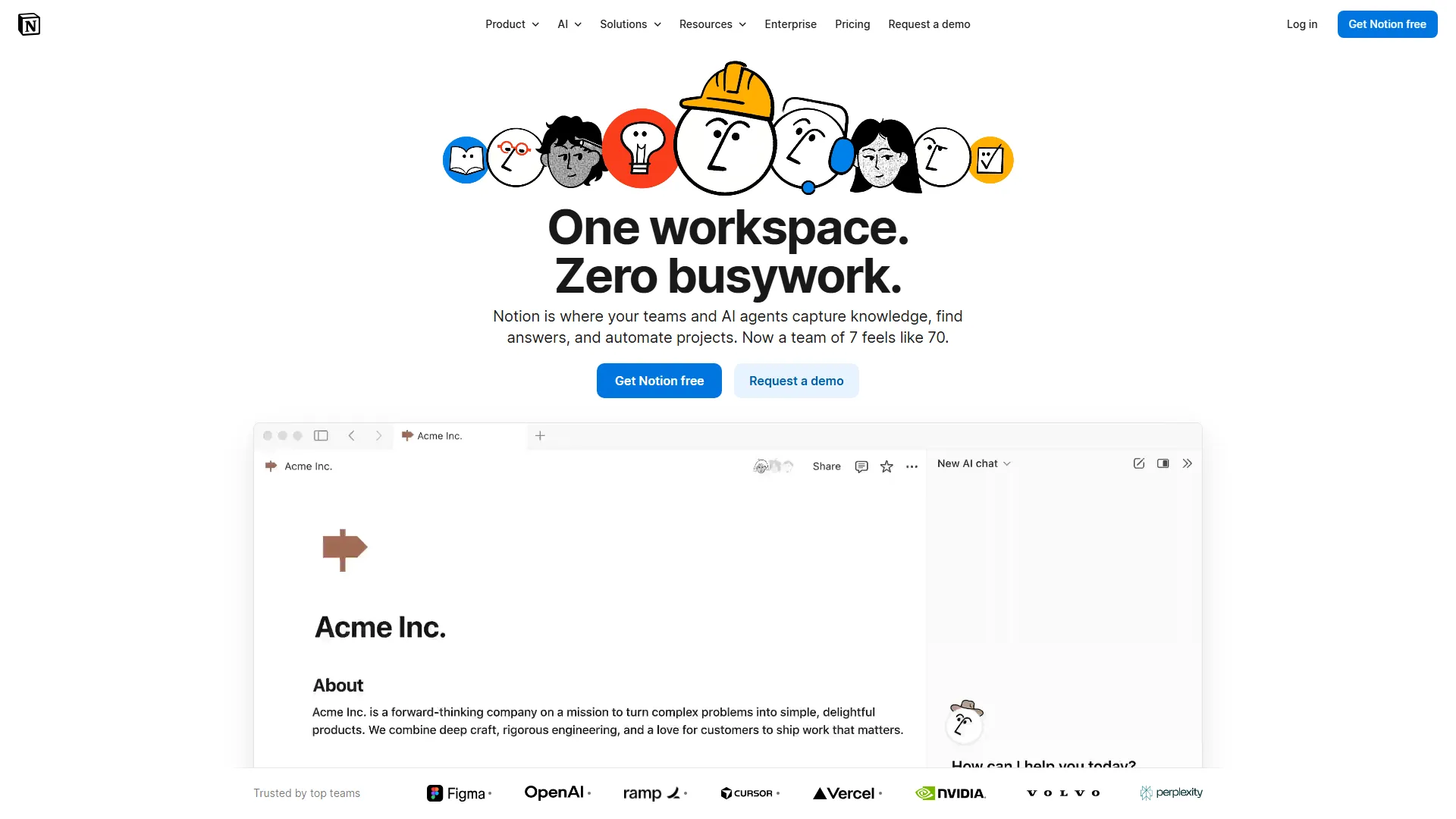
Notion is an all-in-one workspace that combines notes, databases, and project management tools, ideal for teams and individuals seeking a customizable information hub.
How it works and main features
Explore the main features, functionalities and how this AI tool can help you.
Notion is a collaborative workspace that organizes information using a block-based system, allowing users to build pages that function as documents, wikis, or database-driven project trackers. It effectively centralizes disparate workflows by allowing users to link databases, create relational connections between items, and manage tasks within a single interface. This tool is best suited for startups, small-to-medium teams, and individual power users who require high levels of customization and structured data management. It performs exceptionally well in environments that rely on documentation, such as agile software teams, product development groups, and content creators who need to balance flexible writing with rigorous tracking. Notion's primary limitations involve its steep learning curve; the flexibility that makes it powerful can also lead to complex, disorganized workspaces if not properly structured. Furthermore, it is not a native offline-first application, which can cause latency issues or access hurdles in environments with poor or no internet connectivity, and its mobile app performance occasionally lags behind the desktop version. Ultimately, users should choose Notion if they prioritize a 'build-your-own-tool' experience over specialized, rigid software. It is the correct choice for teams that want to consolidate their toolstack into a single platform, provided they have the time to invest in setting up and maintaining their system architecture.
- Relational databases with multiple views (Board, Table, Calendar, Timeline, Gallery)
- Block-based editor supporting rich media, code snippets, and embeds
- Notion AI for text summarization, content generation, and database automation
- Real-time collaboration with comments, page mentions, and activity tracking
- API for connecting third-party services and automating workflow triggers
- Customizable page templates and community-driven template gallery
- Wikis with structured page hierarchies and verified content status
- Permission settings for public publishing, guest access, and workspace members
Advantages and disadvantages of the tool
See the main strengths and limitations to decide if this tool is ideal for you.
Pros
- Highly flexible block-based architecture
- Deeply connected relational databases
- Strong, active community with extensive templates
- Unified interface for notes and projects
- Integrated AI features embedded directly into the workspace
Cons
- Steep learning curve for complex database configurations
- Limited offline functionality and desktop app latency
- Mobile app user experience is less robust than desktop
- Permission management can become granular and confusing
- Performance issues with very large, high-data-volume databases
Feedback and user experiences
See the reviews, ratings and opinions of users to understand the real experience with this tool.
Alex R.
Changed how our team manages projects. The relational database feature is a game-changer.
G2
Sarah K.
Perfect for personal organization, though it took some time to set up my workflow.
Capterra
Marcus D.
Great for documentation. The AI features help me write meeting summaries quickly.
Trustpilot
Elena V.
Very flexible tool, but the mobile app could definitely be faster.
G2
Jordan P.
The best all-in-one workspace I've used. I use it for everything from groceries to code docs.
Product Hunt

G2
4.7
Capterra
4.7
Trustpilot
3.8
Product Hunt
4.5
Real applications of the tool
Ideas and examples to make the most of the tool's features.
Technical Documentation
Centralizing engineering documentation, API guides, and architectural decisions in an easy-to-search wiki.
Project Management
Tracking task progress, deadlines, and project status using Kanban boards and timelines.
Content Calendar
Managing the full lifecycle of content creation from ideation to publication across multiple platforms.
Personal Knowledge Management
Building a 'second brain' to store notes, reading lists, research, and life goals.
Client Portals
Creating external-facing pages to share project status, assets, and documentation with clients.
Other similar tools
Compare with similar tools and choose the one that best meets your goal.
 Freemium
Reclaim
4.80Reclaim is an AI-powered calendar management tool that automatically schedules tasks, habits, and meetings to optimize work-life balance for busy professionals.
- Life Assistants
- Productivity
 Freemium
Superhuman
4.50Superhuman is a high-performance, keyboard-centric email client designed for professionals and teams who require extreme speed and efficiency in their inbox management.
- Productivity
- Freemium
Notion
4.42Notion is an all-in-one workspace that combines notes, databases, and project management tools, ideal for teams and individuals seeking a customizable information hub.
- Files & Spreadsheets
- Education & Studies
- Productivity
 Freemium
ClickUp
4.25ClickUp is an all-in-one project management platform designed for teams to centralize tasks, documentation, and collaboration within a single workspace.
- Automation
- Text Generators
- Productivity
- AI Chat & Assistant
- Files & Spreadsheets
Tutorials and videos of the tool
Learn how to use the tool with visual content and practical examples.

Everything we launched at Make with Notion

Introducing Notion 3.0: Agents
Notion AI is here, for everyone

Meet Q&A: Answers now, not later

Introducing the new Notion AI
Frequently Asked Questions
Everything you need to know about finding and using AI tools
Yes, Notion offers a free plan for individuals, with paid tiers available for teams requiring advanced collaboration and storage.
Notion is primarily an online-first application and requires an internet connection to sync changes and access all content.
Yes, Notion supports imports from various formats including CSV, Markdown, and direct integrations with tools like Trello, Asana, and Google Docs.
Notion employs enterprise-grade security practices including SOC 2 Type II compliance and data encryption at rest and in transit.
Paid plans primarily offer unlimited file uploads, higher collaboration limits, advanced page permissions, and longer history for page versions.
Yes, Notion has built-in database automations and integrates with tools like Zapier or Make for more complex automated workflows.
Yes, multiple users can edit pages, comment, and move tasks in databases simultaneously in real-time.
Yes, Notion provides an official API that allows developers to integrate data with other software and build custom internal tools.
Yes, Notion AI is an integrated service that provides text generation, summarization, and data extraction within the Notion environment.
Notion can handle thousands of database entries, though performance may vary depending on the complexity of views and page properties.
Latest AI Tools Articles
Everything you need to know about finding and using AI tools