
QuillBot
QuillBot is an AI-powered writing companion that provides advanced paraphrasing, grammar checking, and summarization tools for students and professional writers.
- AI detection
- Extensions ChatGPT
- Summarizer
- Text Generators
- Education & Studies
- Files & Spreadsheets
- Research & Science
- Translation
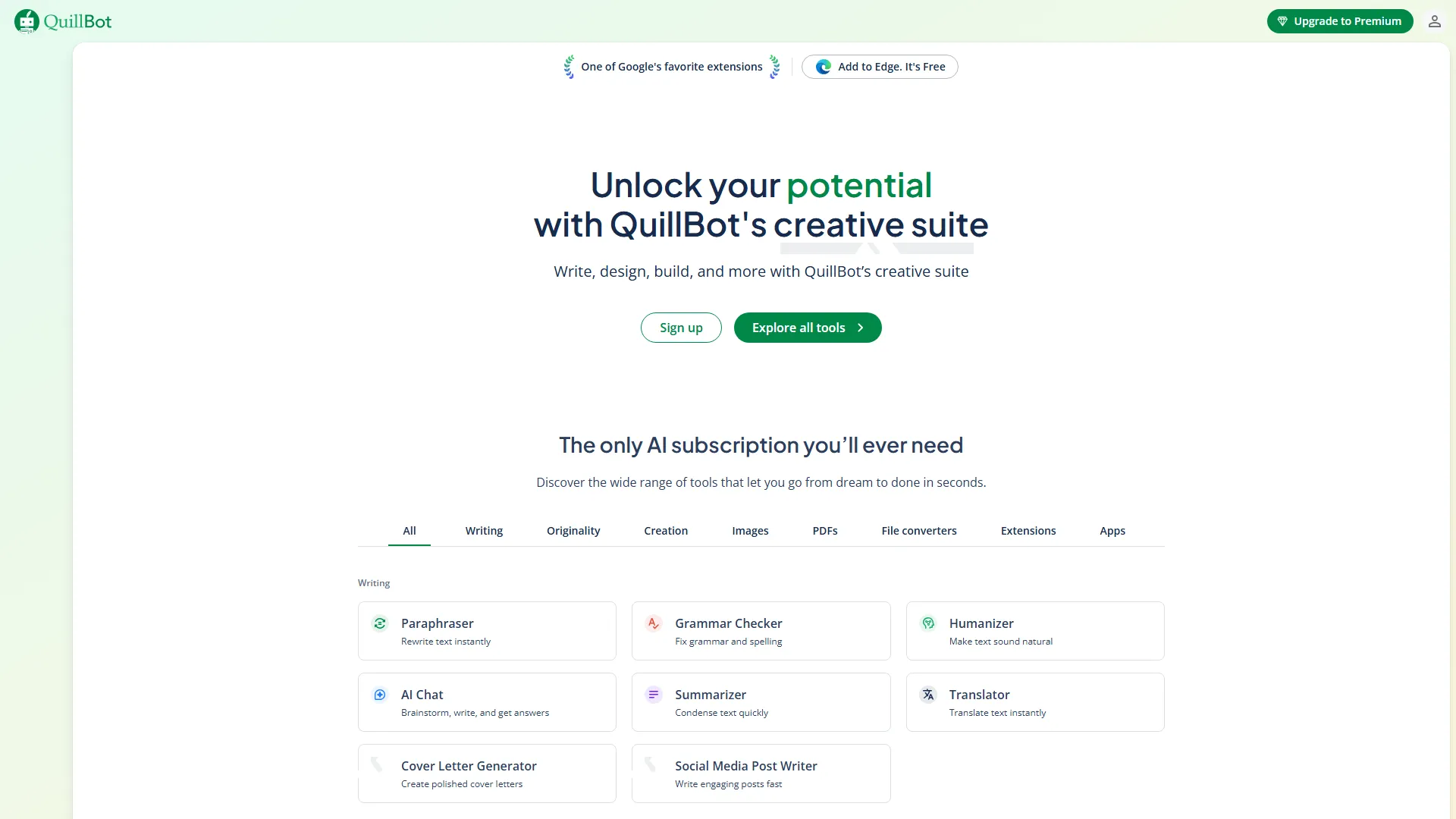
How it works and main features
Explore the main features, functionalities and how this AI tool can help you.
QuillBot is primarily a paraphrasing tool that utilizes machine learning to rewrite sentences, paragraphs, or entire documents. Its core functionality revolves around its 'Paraphraser,' which offers various modes such as Standard, Fluency, Creative, and Formal, allowing users to adjust the tone and complexity of their writing to suit different audiences. It is best suited for students who need to refine their academic drafts, non-native English speakers looking to improve their fluency, and content writers who need to repurpose existing text or overcome writer's block. Its ability to handle large amounts of text quickly makes it an efficient tool for editing and formatting repetitive content. However, QuillBot is not a replacement for deep critical thinking or original research. Its paraphrasing algorithms can occasionally lose nuance in complex technical or legal documents, and it should not be used to bypass plagiarism detection in academic settings. Users requiring high-level creative copywriting or complex fact-based content generation may find standalone LLMs like ChatGPT or Claude to be more capable. Ultimately, QuillBot is an ideal utility for those who already have a draft and need to improve the flow, clarity, or tone of their writing. It shines as an editing companion rather than a primary creation engine, providing consistent results for quick touch-ups and linguistic polishing.
- Multi-mode Paraphraser (Standard, Fluency, Formal, Simple, Creative, Shorten, Expand)
- AI Grammar Checker for spelling, punctuation, and style errors
- Summarizer tool for condensing long articles or documents into key points
- Citation Generator supporting APA, MLA, and Chicago styles
- Plagiarism Checker for detecting non-original content
- Translator supporting over 30 languages
- Microsoft Word, Google Docs, and Google Chrome browser extensions
Advantages and disadvantages of the tool
See the main strengths and limitations to decide if this tool is ideal for you.
Pros
- Highly effective at improving sentence flow and grammatical accuracy.
- User-friendly web interface with minimal learning curve.
- Browser and word processor integrations save significant time on copy-pasting.
- Free version is functional for casual users without a subscription.
- Customizable modes allow for precise control over tone and length.
Cons
- Limited effectiveness with highly technical or industry-specific jargon.
- The plagiarism checker is limited to a certain number of pages on the paid plan.
- Occasional loss of subtle meaning in long, complex sentences.
- AI detection tools can still identify text processed by paraphrasers.
- Free version is significantly restricted in terms of character and word limits.
Feedback and user experiences
See the reviews, ratings and opinions of users to understand the real experience with this tool.
Sarah J.
QuillBot has saved me hours of editing my academic drafts. The different modes are very useful.
Trustpilot
David M.
Great for non-native speakers. It helps make my emails sound much more professional.
G2
Elena R.
Easy to use and the browser extension is a game changer for my workflow.
Capterra
Mark T.
Simple and effective. It does exactly what it says on the tin without extra fluff.
Trustpilot
Jessica L.
The summarizer is excellent for getting through long PDFs quickly before meetings.
G2

G2
4.6
Capterra
4.6
Trustpilot
4.3
Real applications of the tool
Ideas and examples to make the most of the tool's features.
Academic Essay Polishing
Improving the clarity and academic tone of student research papers before submission.
Email Professionalization
Converting informal or poorly worded emails into clear, professional communications.
Content Repurposing
Rewriting a single blog post into several versions for different social media platforms.
Research Summarization
Quickly extracting the main arguments from lengthy articles or industry reports.
Language Learning Practice
Using the translator and grammar tools to learn how to structure sentences correctly in a target language.
Other similar tools
Compare with similar tools and choose the one that best meets your goal.
 Freemium
Reclaim
4.80Reclaim is an AI-powered calendar management tool that automatically schedules tasks, habits, and meetings to optimize work-life balance for busy professionals.
- Productivity
- Life Assistants
 Freemium
Superhuman
4.50Superhuman is a high-performance, keyboard-centric email client designed for professionals and teams who require extreme speed and efficiency in their inbox management.
- Productivity
 Freemium
Notion
4.42Notion is an all-in-one workspace that combines notes, databases, and project management tools, ideal for teams and individuals seeking a customizable information hub.
- Productivity
- Education & Studies
- Files & Spreadsheets
 Freemium
ClickUp
4.25ClickUp is an all-in-one project management platform designed for teams to centralize tasks, documentation, and collaboration within a single workspace.
- Automation
- Text Generators
- Files & Spreadsheets
- AI Chat & Assistant
- Productivity
Tutorials and videos of the tool
Learn how to use the tool with visual content and practical examples.

Paraphrase with QuillBot and make writing painless today.
Save time and improve your writing Instantly | QuillBot

Essay & Writing Hack, Tips and Tricks!

Cut your essay writing time by more than half!
Get writing help anywhere with QuillBot
Frequently Asked Questions
Everything you need to know about finding and using AI tools
Yes, QuillBot offers a limited free version that provides access to basic paraphrasing, summarization, and grammar checking.
QuillBot operates on a subscription model, with monthly, semi-annual, and annual plans for premium features.
QuillBot should not be used to bypass academic integrity tools; it is designed to help improve writing clarity, not to replace original thought.
Yes, QuillBot provides an official add-on for Google Docs that allows you to paraphrase text without leaving your document.
QuillBot states that it does not sell user data and implements security measures to protect text input, though sensitive information should always be handled with care.
QuillBot currently provides limited API access for specific enterprise-level partnerships rather than general public usage.
QuillBot is specialized for paraphrasing, grammar, and editing existing text, whereas ChatGPT is a general-purpose generative AI for creating new content.
It is highly effective at catching common spelling and punctuation errors, though it may miss context-specific stylistic nuances.
No, QuillBot is a web-based service and requires an active internet connection to process text through its AI models.
The free plan restricts the number of characters you can process at once; to process larger texts, you must shorten them or upgrade to a Premium plan.
Latest AI Tools Articles
Everything you need to know about finding and using AI tools