Elai
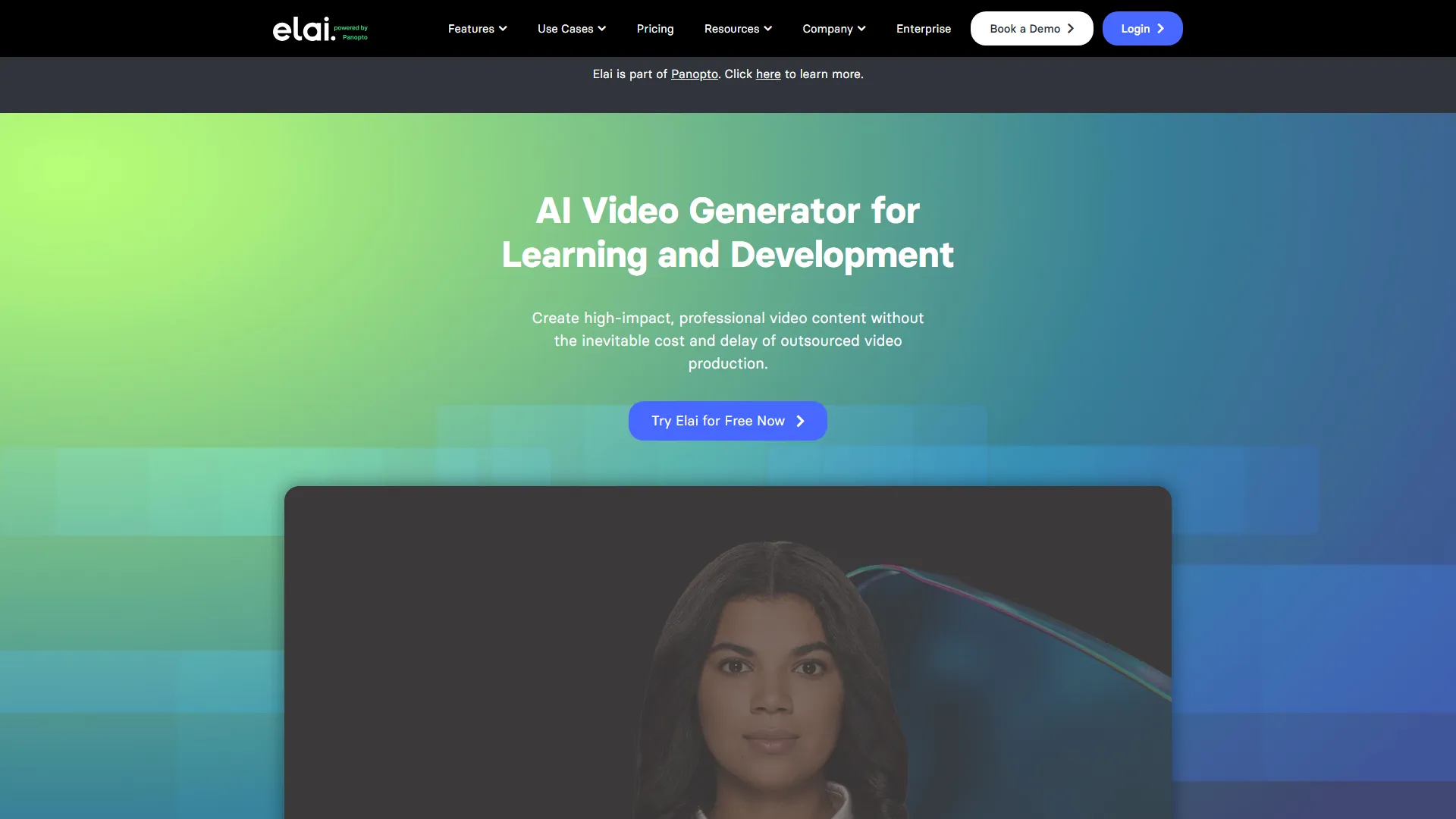
Elai is an AI video generation platform that converts text and documents into professional-grade videos featuring digital presenters for corporate training and marketing.
How it works and main features
Explore the main features, functionalities and how this AI tool can help you.
Elai functions primarily as an AI-powered text-to-video studio, focusing on the production of business communication and instructional media. It utilizes a proprietary library of digital avatars that read provided text, allowing companies to scale video output without recurring filming costs or logistical overhead. It is best suited for corporate training departments, content marketers, and e-learning creators who need to update video content frequently. Users benefit most when they already have existing slide decks or documents they wish to transform into engaging, human-led presentations without the time investment of traditional video production. While powerful for talking-head style content, Elai is not a replacement for high-end cinematic or creative video editing software. It may fall short for users needing complex motion graphics, interactive video elements, or extreme stylistic customization, where a manual video production process would be required. Ultimately, users should choose Elai when efficiency and content scalability are the primary drivers of their video production strategy. It excels in professional environments where the clarity of information delivery is prioritized over high-concept artistic video production.
- AI Avatar library with diverse ethnicities and professional attires
- Text-to-video conversion from URLs, PDFs, and PPTX files
- Voice cloning for personalized synthetic speech
- Automated video translation into 75+ languages
- Screen recording integration for software tutorials
- Bulk video generation using CSV uploads
- Custom avatar creation from personal video footage
- Collaborative workspace for team-based video projects
Advantages and disadvantages of the tool
See the main strengths and limitations to decide if this tool is ideal for you.
Pros
- Significant reduction in production time compared to traditional filming.
- Robust support for multi-language video localization.
- Ease of updating content by simply changing the source text.
- Direct import capabilities for existing business documents.
- High-quality, realistic synthetic voices across various languages.
Cons
- Synthetic avatars can still exhibit minor, unnatural movements during long clips.
- Limited animation and custom graphic design tools within the editor.
- The learning curve for achieving high-quality lip-sync with custom voices.
- Pricing tiers may feel restrictive for low-volume professional users.
- Dependent on internet connectivity for rendering and cloud-based editing.
Feedback and user experiences
See the reviews, ratings and opinions of users to understand the real experience with this tool.
Alex P.
Great tool for creating onboarding videos for our remote team, saved us weeks of work.
G2
Maria K.
The translation features are incredibly accurate for our international marketing campaigns.
Capterra
John D.
The avatar quality is good enough for internal business presentations and training modules.
Trustpilot
Sarah W.
Very easy to import our existing slides and get a video out within minutes.
Product Hunt
Kevin L.
Solid choice for scaling video production, though custom avatars can take time to process.
G2

G2
4.8
Capterra
4.7
Trustpilot
4.5
Product Hunt
4.6
Real applications of the tool
Ideas and examples to make the most of the tool's features.
Corporate Employee Onboarding
Automatically generate personalized welcome and training videos for new hires.
E-learning and Course Creation
Convert complex educational manuals into easy-to-follow video tutorials with a virtual instructor.
Marketing Localization
Translate product demonstration videos into multiple languages using localized AI voices and avatars.
Personalized Sales Outreach
Send dynamic video messages to prospective clients at scale using AI-generated presenters.
Document to Video Summary
Transform internal company reports or public-facing PDFs into concise video summaries.
Other similar tools
Compare with similar tools and choose the one that best meets your goal.
 Freemium
Reclaim
4.80Reclaim is an AI-powered calendar management tool that automatically schedules tasks, habits, and meetings to optimize work-life balance for busy professionals.
- Productivity
- Life Assistants
 Freemium
Superhuman
4.50Superhuman is a high-performance, keyboard-centric email client designed for professionals and teams who require extreme speed and efficiency in their inbox management.
- Productivity
 Freemium
Notion
4.42Notion is an all-in-one workspace that combines notes, databases, and project management tools, ideal for teams and individuals seeking a customizable information hub.
- Productivity
- Education & Studies
- Files & Spreadsheets
 Freemium
ClickUp
4.25ClickUp is an all-in-one project management platform designed for teams to centralize tasks, documentation, and collaboration within a single workspace.
- Files & Spreadsheets
- Productivity
- AI Chat & Assistant
- Automation
- Text Generators
Tutorials and videos of the tool
Learn how to use the tool with visual content and practical examples.

Elai.io - All-in-One AI Video Generation Tool for Corporate Learning.
University Cartoon Avatar

Create a Photo avatar

Breaking News template example
How to create an E-learning video with Elai.io
Frequently Asked Questions
Everything you need to know about finding and using AI tools
Yes, Elai offers a limited free trial that allows users to test the platform's video generation capabilities.
Yes, Elai supports voice cloning, allowing you to upload a recording to create a synthetic version of your own voice.
Yes, the platform can translate your videos into over 75 languages while maintaining the avatar's lip movement.
Rendering time depends on video length, but typically takes a few minutes for standard instructional clips.
Yes, you can upload PPTX files directly, and Elai will convert the slides into a structured video.
Elai emphasizes data privacy, and user-generated content is stored securely on their cloud infrastructure.
The avatars are highly realistic and suitable for corporate, educational, and marketing applications.
Yes, Elai offers a paid service to create a custom digital twin avatar based on your own footage.
No, the platform is designed to be user-friendly with a drag-and-drop interface, requiring no professional editing experience.
Elai focuses specifically on enterprise communication and document-to-video conversion rather than creative film production.
Latest AI Tools Articles
Everything you need to know about finding and using AI tools