
Coda
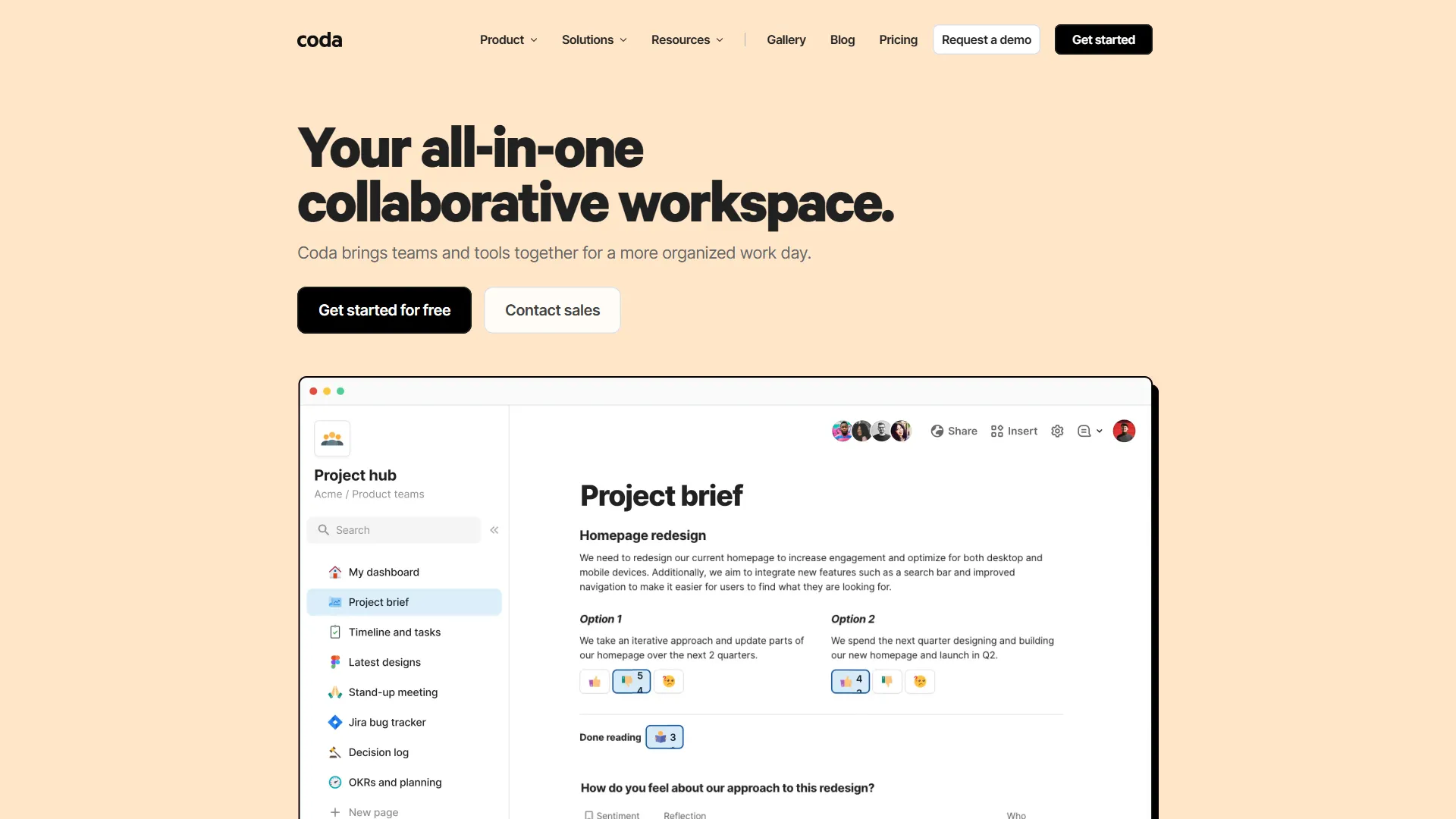
Coda is a flexible, all-in-one workspace that combines document writing with data-driven tables and apps to help teams consolidate their workflows.
How it works and main features
Explore the main features, functionalities and how this AI tool can help you.
Coda serves as a modular workspace where text, data tables, and interactive elements coexist in the same document. Unlike traditional word processors or rigid project management tools, it allows users to create custom applications and dashboards by linking related datasets across different pages. It is best suited for cross-functional teams, startups, and project managers who need to move beyond static spreadsheets to manage complex processes like product roadmaps, sprint tracking, or team wikis. The platform excels when users need a custom solution that evolves alongside their specific business logic. However, Coda can be overwhelming for users who simply need a straightforward document editor or a basic task list. Because of its flexibility, it requires a significant initial time investment to set up custom workflows, and it may lack the specialized, out-of-the-box reporting found in dedicated enterprise project management tools. Choosing Coda is recommended for organizations that have outgrown simple tools and want a centralized "operating system" for their documentation and data. It is the right fit if your team frequently experiences "data silos" between documents and spreadsheets and requires a unified, automated approach to managing internal operations.
- Interactive tables that function like mini-databases with custom views and filters.
- Cross-doc functionality to sync data between different workspaces automatically.
- Coda AI to generate text, summarize documents, and analyze table data via natural language prompts.
- Custom buttons that trigger automated actions like sending emails or updating statuses.
- Canvas-based editing that mixes rich media, live data, and structured content.
- Native API for custom integrations with external data sources.
- Pack library providing pre-built integrations for tools like Jira, Slack, and Salesforce.
- Dynamic templates for rapid deployment of common business workflows.
Advantages and disadvantages of the tool
See the main strengths and limitations to decide if this tool is ideal for you.
Pros
- Highly modular architecture allows for the creation of unique, tailor-made tools.
- Deep integration between document text and live structured data tables.
- Powerful automation triggers reduce the need for manual record updates.
- Active, well-documented community with hundreds of available public templates.
- Responsive mobile experience for viewing and interacting with complex documents.
Cons
- Steep learning curve for users unfamiliar with relational database concepts or formula syntax.
- Performance can degrade in documents containing extremely high volumes of linked data.
- Interface complexity can lead to 'document bloat' where pages become difficult to navigate.
- Initial setup time is high compared to using purpose-built project management software.
- Advanced formula writing requires a specific logic style that can be counter-intuitive.
Feedback and user experiences
See the reviews, ratings and opinions of users to understand the real experience with this tool.
Alex R.
Coda has replaced almost all our other internal tools. The ability to link data across docs is a game changer for our operations.
G2
Sarah K.
Very flexible tool. It took some time to learn the formula language, but the custom workflows we built are worth it.
Capterra
Marcus L.
The best tool for project documentation. Being able to visualize project status directly inside the wiki is fantastic.
Product Hunt
Elena P.
Solid alternative to Notion for teams that need actual database functionality. Powerful, though occasionally complex.
G2
David W.
Integration with Slack and Jira makes it a central hub for our team communication. Reliable and efficient.
Capterra

G2
4.7
Capterra
4.6
Product Hunt
4.8
Real applications of the tool
Ideas and examples to make the most of the tool's features.
Product Roadmap Management
Building a master list of features linked to sprint boards and release notes.
Meeting Operating System
Standardizing meeting agendas with embedded action items that sync to personal task lists.
Client Portals
Creating dedicated, read-only documents for clients to track project progress and feedback.
Employee Onboarding
Managing complex onboarding checklists and automated document generation for new hires.
Inventory Tracking
Using tables to manage equipment status, staff assignments, and procurement requests.
Other similar tools
Compare with similar tools and choose the one that best meets your goal.
 Freemium
Reclaim
4.80Reclaim is an AI-powered calendar management tool that automatically schedules tasks, habits, and meetings to optimize work-life balance for busy professionals.
- Productivity
- Life Assistants
 Freemium
Superhuman
4.50Superhuman is a high-performance, keyboard-centric email client designed for professionals and teams who require extreme speed and efficiency in their inbox management.
- Productivity
 Freemium
Notion
4.42Notion is an all-in-one workspace that combines notes, databases, and project management tools, ideal for teams and individuals seeking a customizable information hub.
- Productivity
- Files & Spreadsheets
- Education & Studies
 Freemium
ClickUp
4.25ClickUp is an all-in-one project management platform designed for teams to centralize tasks, documentation, and collaboration within a single workspace.
- Automation
- Text Generators
- Productivity
- AI Chat & Assistant
- Files & Spreadsheets
Tutorials and videos of the tool
Learn how to use the tool with visual content and practical examples.

Introducing Coda AI: Your new favorite work assistant

Meet Coda

Coda | Everything evolves, even documents

Coda Brain, your team's favorite know-it-all | Enterprise AI platform from Coda + Snowflake

Turning data into action with Snowflake and Coda
Frequently Asked Questions
Everything you need to know about finding and using AI tools
Yes, Coda offers a free tier that allows for unlimited documents with some limitations on document size and automation usage.
Coda emphasizes relational data and spreadsheet-like functionality within documents, whereas Notion focuses more on hierarchical page structures and note-taking.
Yes, Coda uses 'Packs' to integrate with popular tools like Slack, Jira, Google Drive, and GitHub.
Coda handles mid-sized datasets well, but it is not intended to function as a backend database or CRM replacement for millions of records.
Coda is a web-based platform and currently requires an internet connection for full functionality.
Coda's formula language is designed to be readable and uses natural syntax, similar to Excel, but adapted for object-oriented data.
Coda maintains SOC 2 Type II compliance and offers enterprise-grade security features like SAML SSO and data encryption.
Yes, you can build custom interfaces and workflows that function like mini-apps by using buttons, formulas, and form views.
Yes, Coda provides native mobile applications for iOS and Android to view and edit docs on the go.
Yes, Coda AI is integrated into the platform to help with drafting, summarizing, and data analysis tasks.
Latest AI Tools Articles
Everything you need to know about finding and using AI tools